
#1
AI Car Customization
AI Window Tint Simulator
See how window tint looks on your car before installation
Window tint costs $200 to $800 installed and picking the wrong shade means peeling it off and paying again. Car Editor's AI tint simulator removes the guesswork - upload a photo of your car, choose from standard darkness levels, specialty finishes like chrome mirror and frosted matte, or colored options like azure blue and neon green. The AI accounts for glass curvature, existing factory tint, and ambient lighting so the preview matches what you will actually see after installation.
Whether you are comparing 20% vs 35% for daily driving, exploring a bold chrome mirror look for a show car, or checking if a tint level stays legal in your state - see the full effect on your actual vehicle in seconds instead of guessing from a tiny swatch at the shop.
11 tint options · AI-powered · Any car brand
11 tint options - AI-powered
How It Works
1. Upload Your Photo
Take a photo of your car or upload one from your gallery. Side or three-quarter angles with visible windows work best for realistic tint previews.
2. Choose a Tint Level
Browse tint options from subtle low-film to dark limo tint, chrome mirror, and colored finishes like bronze, azure blue, and neon green.
3. Download & Compare
Save the result, compare multiple shades side-by-side, and show your tint shop exactly what you want before installation.
What Is AI Window Tint Simulation?
AI window tint simulation is a tool that applies realistic tint film effects to a photo of your actual car using artificial intelligence. Unlike holding a small swatch sample against a single window at a tint shop, the AI shows the tint applied across every window of your vehicle - accounting for glass curvature, angles, existing factory tint, and ambient lighting. The result is a photorealistic preview that shows how your specific car looks with a specific tint level before you spend any money on installation.
Car Editor's AI understands the difference between flat side windows, curved rear glass, and windshield strips. It renders each tint option with accurate opacity, color, and reflectivity so you can compare standard darkness levels side by side, explore specialty finishes like chrome mirror and frosted matte, or try colored tints you might never have considered. The entire process takes seconds - upload a photo, tap a tint, download the result.
Window Tint Options
From barely-there film to full limo dark, chrome mirror, and colored tints - preview every shade on your actual car before booking an appointment.
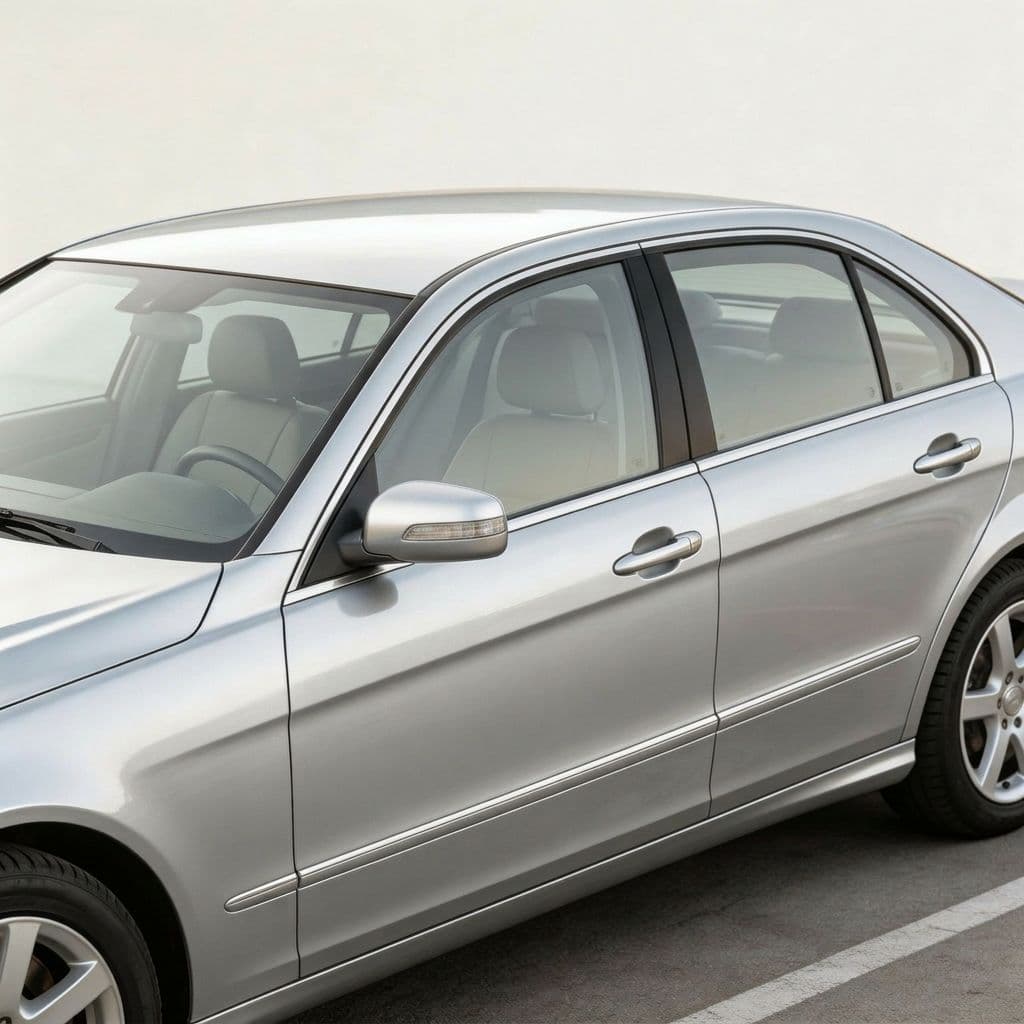
Low
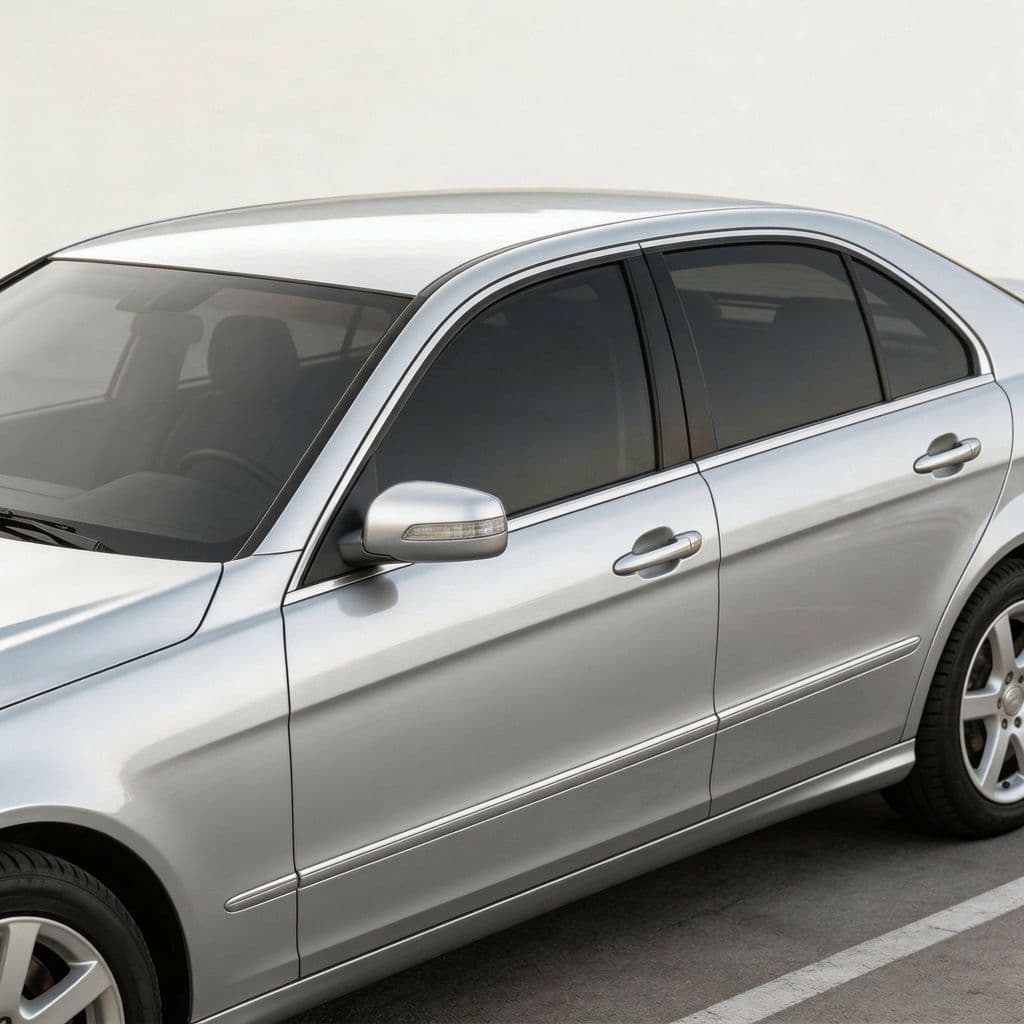
Medium
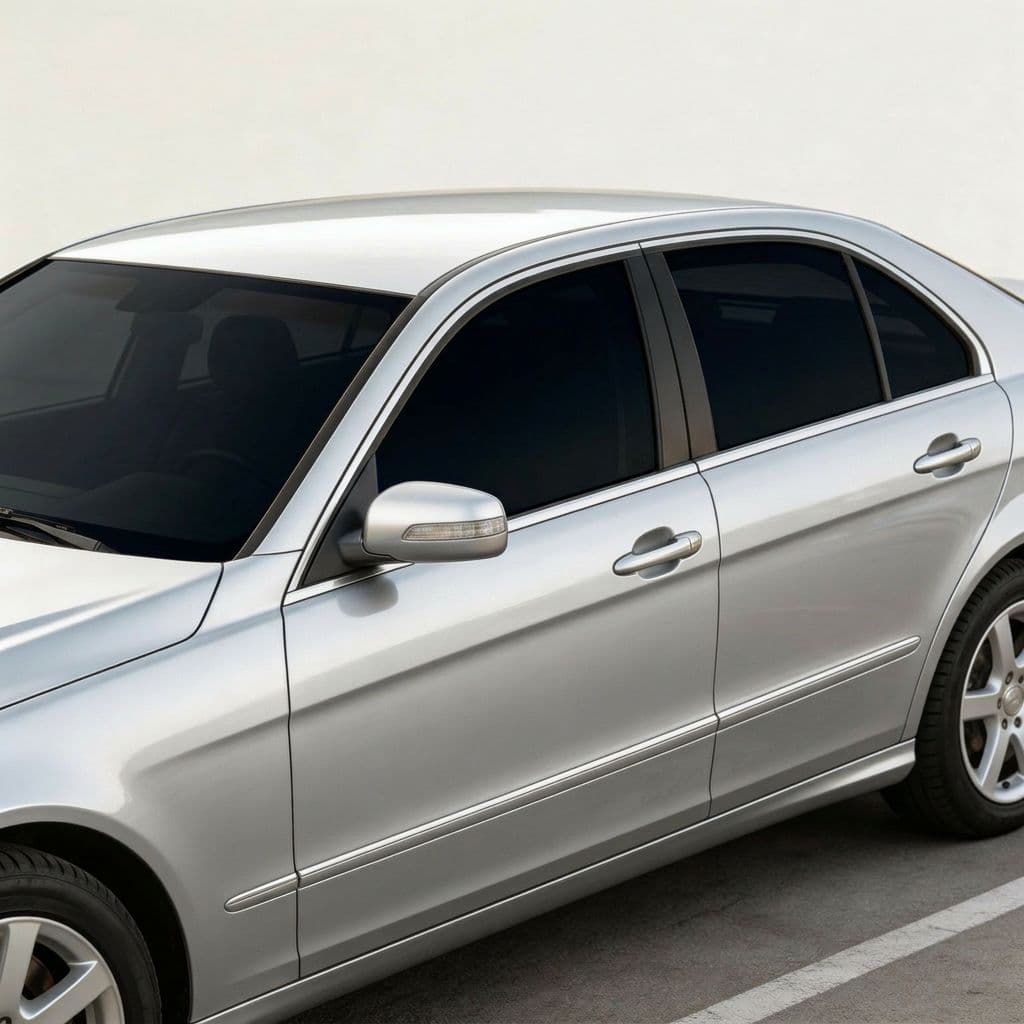
High
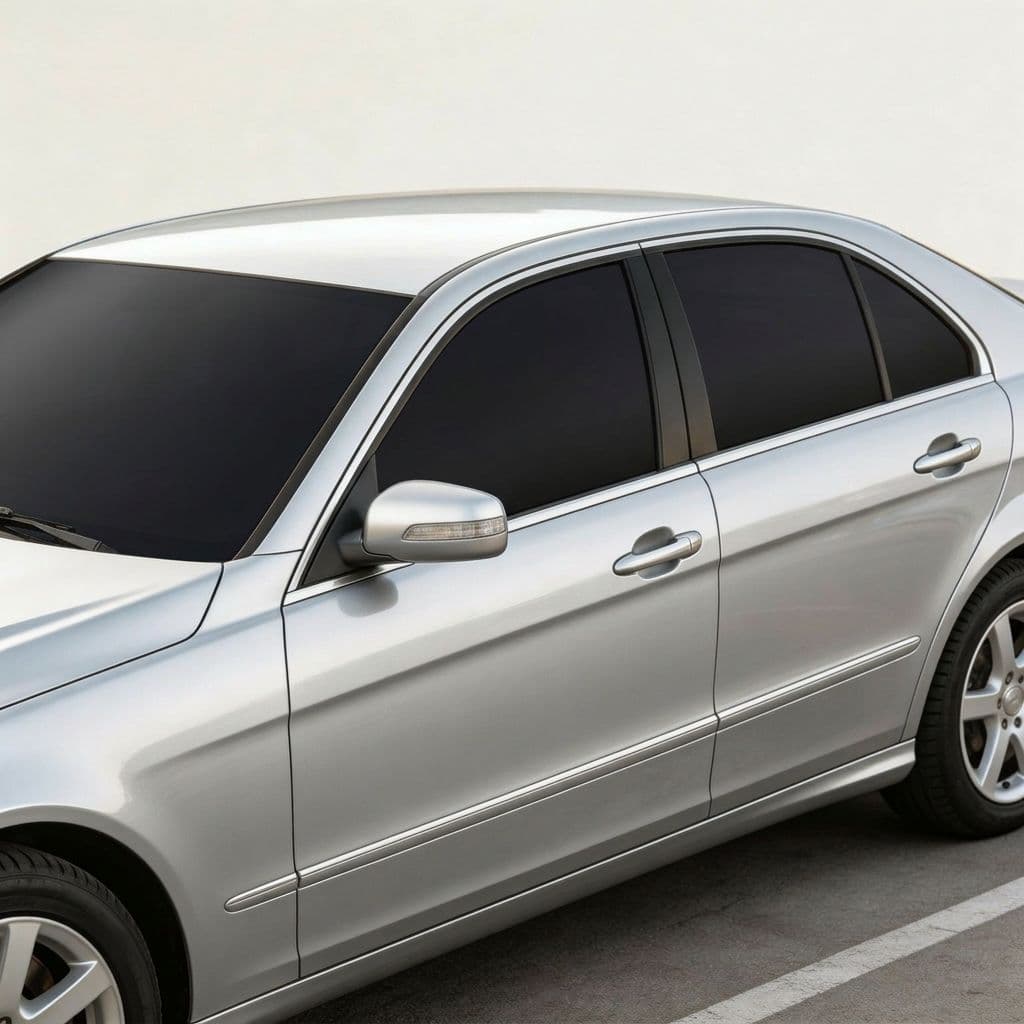
Matte Black
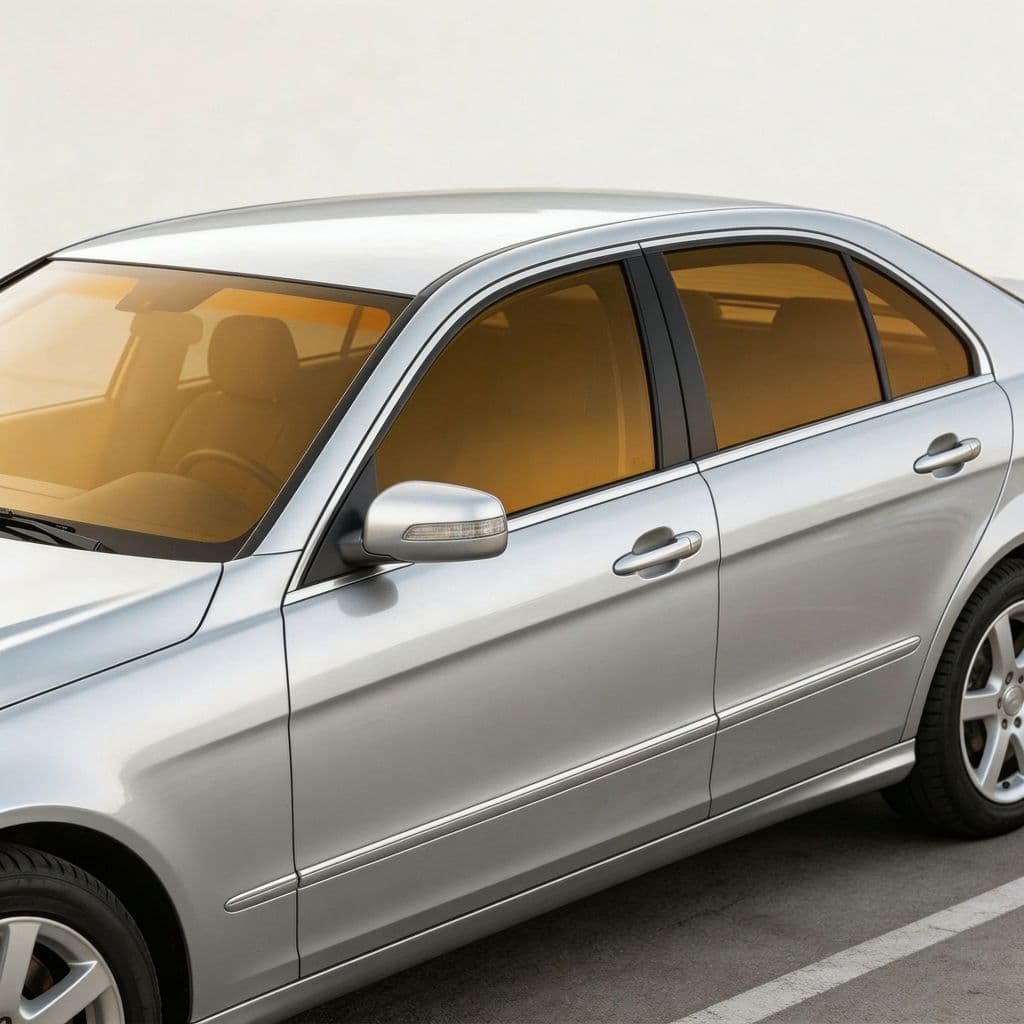
Bronze
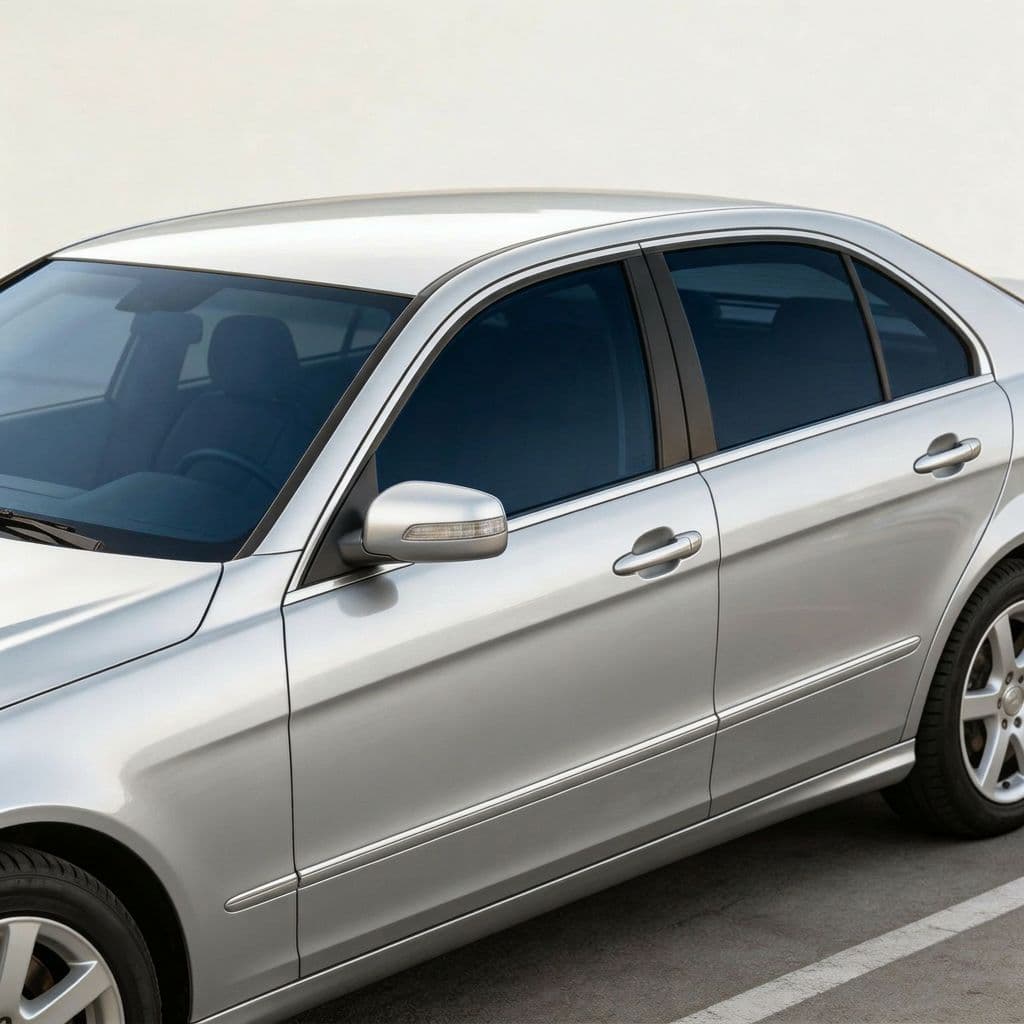
Midnight Smoke
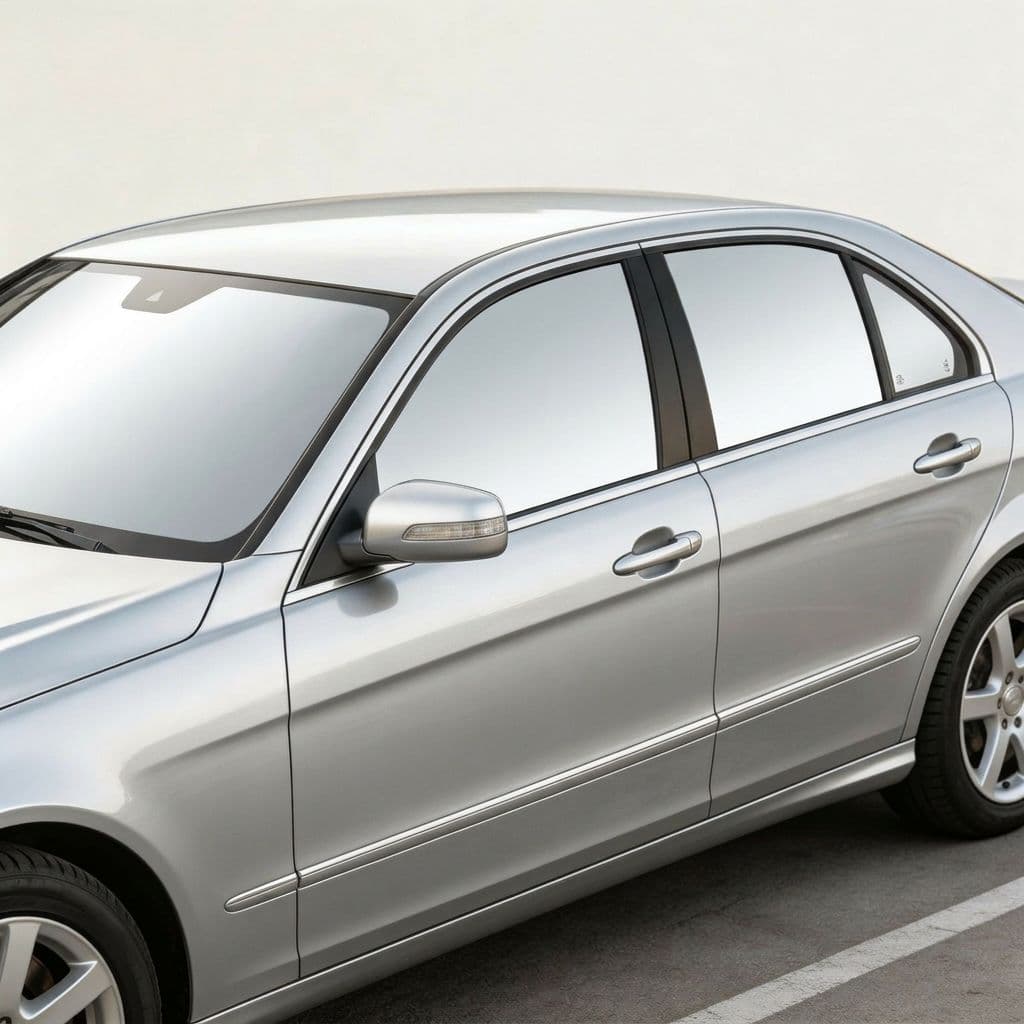
Chrome Mirror
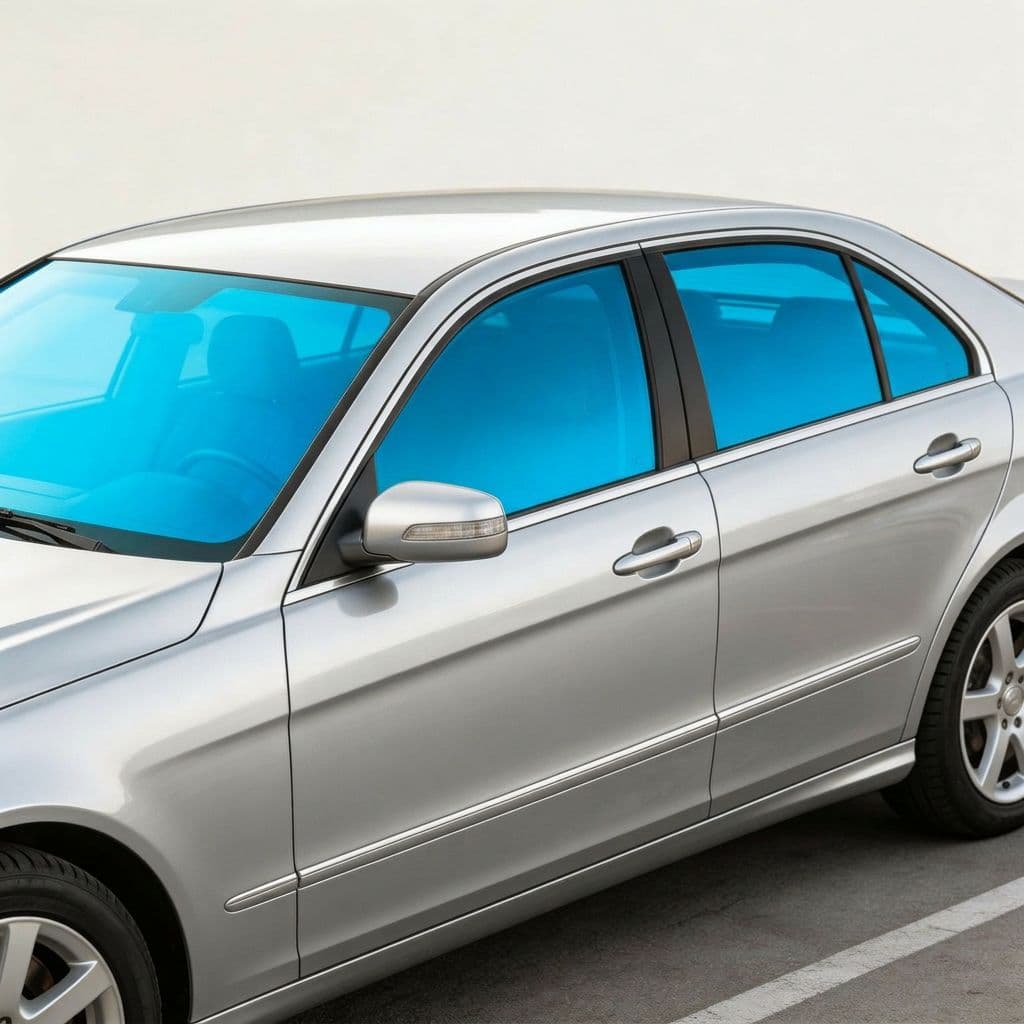
Azure Blue
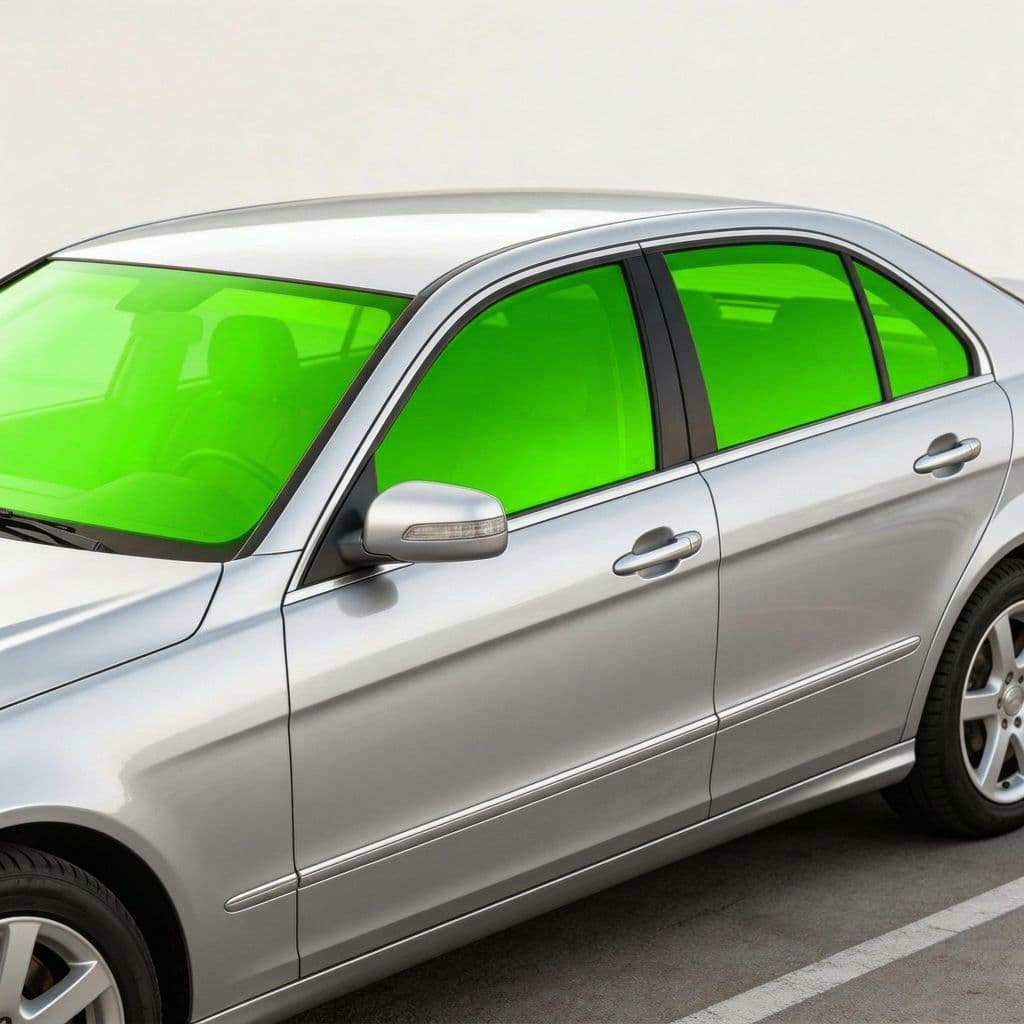
Neon Green
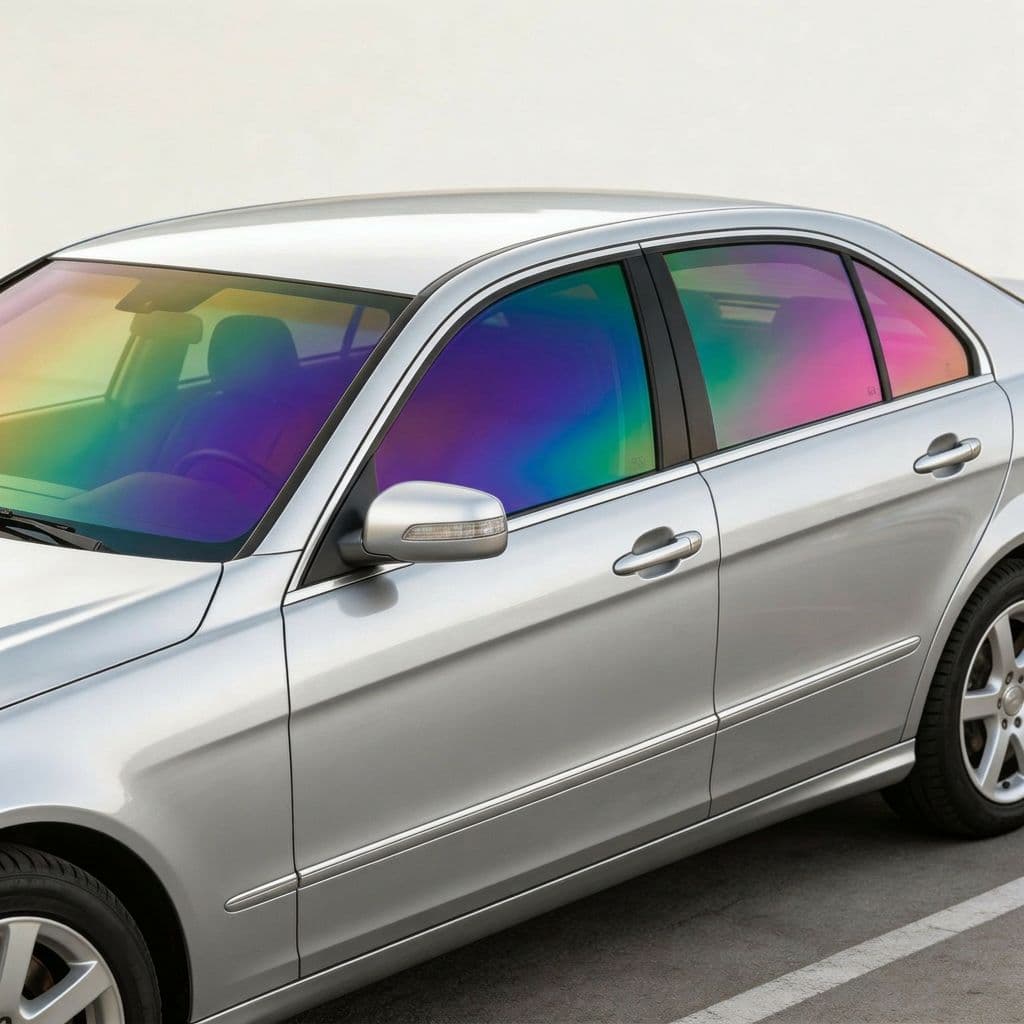
Rainbow
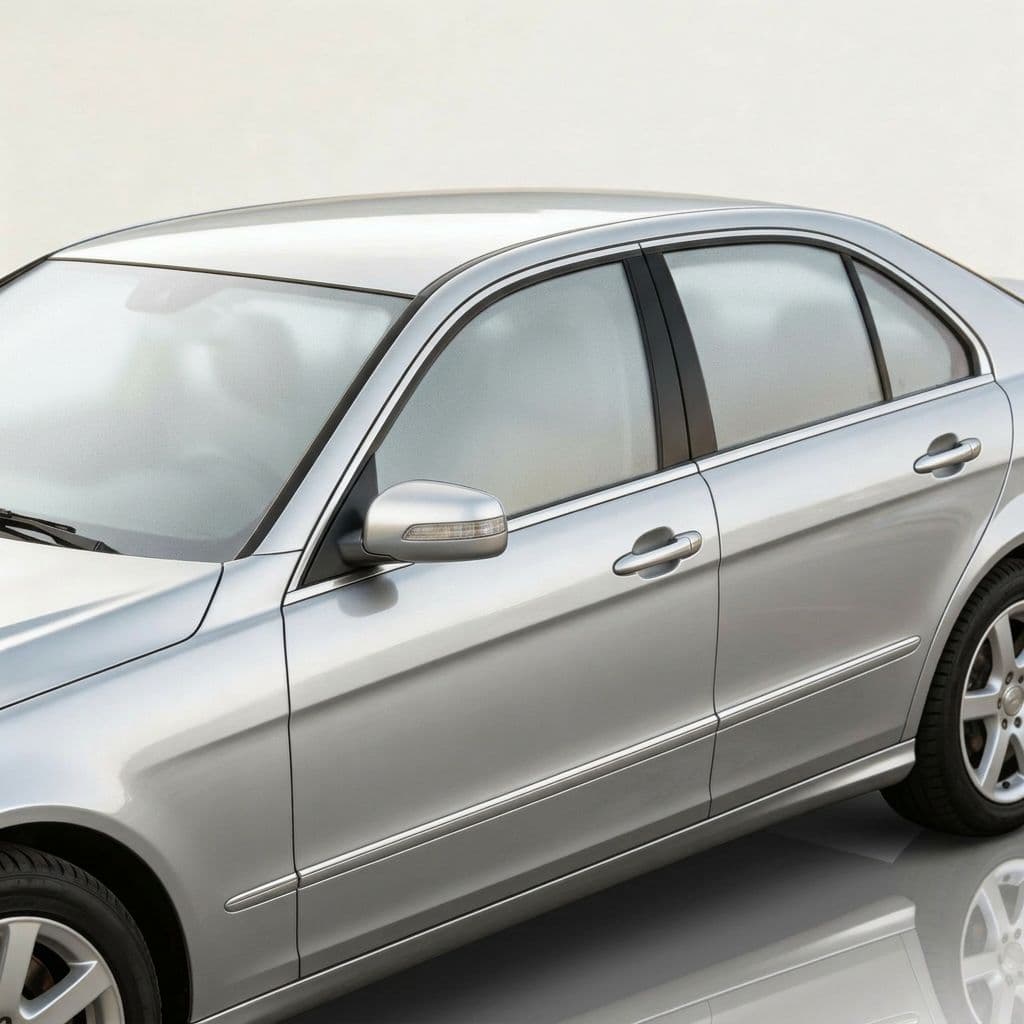
Frosted Matte
How Much Does Window Tint Cost Without Previewing?
Professional window tint installation typically runs $200 to $800 depending on the film type, number of windows, and vehicle size. Ceramic film costs more than standard dyed film but lasts longer and blocks more heat. The problem is that choosing the wrong tint darkness means paying again to strip the old film and reinstall - effectively doubling the cost. A tint that looks sleek on a black sedan can look completely different on a white SUV, and most people discover this after the film is already applied. Car Editor's AI simulator shows you the exact result on your specific car before you schedule the appointment, saving both money and frustration.
Who Uses AI Tint Simulation?
Car enthusiasts use it to find the perfect balance between privacy, aesthetics, and legality. First-time tint buyers use it to understand what different darkness levels actually look like on their Tesla Model 3 or Honda Civic before committing. Tint shops send AI previews to customers as part of the consultation process, reducing callbacks and complaints. Car dealerships use it to upsell tint packages by showing buyers how their new BMW or Audi looks with factory-matched tint. Content creators generate side-by-side comparisons for YouTube and TikTok. And anyone who has ever regretted a tint choice uses it to avoid making the same mistake twice.
AI Tint Simulation vs Tint Shop Samples
At most tint shops, you hold a small film swatch against one window in the parking lot. That swatch does not show how the tint looks across the full car - how it interacts with your paint color, how the rear glass looks from the outside at a distance, or how the windshield strip blends with the side windows. Car Editor's AI renders the tint across every visible window of your car in one image, with accurate opacity and reflections. It is the difference between guessing from a two-inch sample and seeing the finished product on your actual vehicle.
What Car Owners Say About AI Tint Preview
Real users who previewed tint levels before installation
“I was torn between 20% and 35% for my Tesla Model 3. The AI simulator showed me both on my actual car and the difference was obvious - 20% looked too aggressive on the white paint. Went with 35% and it's exactly what I wanted. Showed the preview to my installer and he matched it perfectly.”
“Tried the chrome mirror tint on my Audi A4 just for fun and it actually looked incredible. Never would have considered it without seeing the preview first. Ended up going with midnight smoke instead for daily driving, but the AI helped me make the decision without spending $600 to find out.”
“Compared every tint level on my Toyota Camry in about ten minutes. The bronze tint option was a surprise winner - gives the car a premium look that basic dark tint doesn't. Saved the preview on my phone and the tint shop knew exactly what I wanted. No back and forth.”
Preview Your Perfect Tint Today
Upload your car photo and preview every tint level in seconds. Start for free - no download required.
11 tint options - AI-powered
Also Available on Android & iOS
Take the AI tint simulator with you. Preview window tint on the go with the free mobile app.
Frequently Asked Questions
How does the AI window tint simulator work?
Upload a photo of your car, choose a tint level or color from our library, and the AI generates a photorealistic preview in seconds. The AI accounts for glass curvature, existing factory tint, and lighting conditions to simulate how each film option looks across every window.
Is the tint preview accurate enough to decide on a shade?
Yes. The AI preserves your car's glass angles, reflections, and surrounding lighting so the preview closely matches real-world appearance. Many users show the preview directly to their tint installer as a reference for the exact shade they want.
Can I check if a tint level is legal in my state?
The simulator helps you visually compare darkness levels so you can match them against your local VLT (visible light transmission) regulations. Most states allow 35% VLT or darker on rear windows, with stricter limits on front windows. Previewing first helps you find the darkest legal option that still gives you the look you want.
How much does window tint cost to install?
Professional window tint installation typically costs $200 to $800 depending on the film type and vehicle size. Ceramic tint runs higher than dyed film. Using our AI preview before visiting a shop eliminates the guesswork and potential do-overs that can double the cost.
What tint options can I preview?
You can preview standard darkness levels (low, medium, high), specialty finishes like chrome mirror and frosted matte, and colored tints including bronze, azure blue, neon green, midnight smoke, matte black, and rainbow. Each option is AI-rendered onto your specific car photo.
Does it work with any car?
Yes. The AI works with any car regardless of make, model, or year - sedans, SUVs, trucks, coupes, hatchbacks. Tesla, BMW, Audi, Toyota, Mercedes, Ford, and any other brand. Side and three-quarter angle photos give the best results.
Can I use the preview to show my tint shop?
Absolutely. Download the high-resolution preview and bring it to your tint installer as a visual reference. It shows exactly the shade and finish you want, making communication much easier than trying to describe a darkness level verbally.
How is this different from holding up a tint sample at a shop?
Tint samples at a shop are small swatches held against a single pane of glass. Our AI shows the tint applied across every window of your actual car, accounting for glass shape, angle, and ambient lighting. You see the full effect - not just a tiny patch - before committing to an installation.